Đăng ký và tiếp nhận bệnh nhân

Đăng ký / Tiếp nhận là nơi nhân viên lễ tân quản lý hồ sơ bệnh án đăng ký trong ngày và check-in bệnh nhân có lịch hẹn. Có thể đăng ký walk-in, sửa lịch hẹn, đo dấu hiệu sinh tồn và gọi số lên LINE@ và TV.

Cách truy cập

  1. Từ menu chính, chọn Khám hôm nay
  2. Chọn Đăng ký / Tiếp nhận
  3. Chuyển giữa tab Đăng kýLịch hẹn
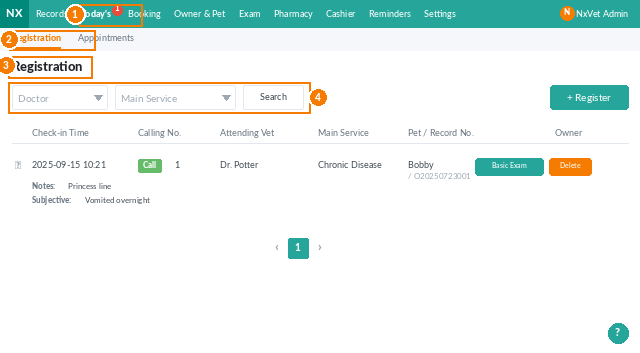
Registration / Check-in landing screen showing the registered medical records list with search filters
The Registration / Check-in landing page with search filters for doctor and main service.
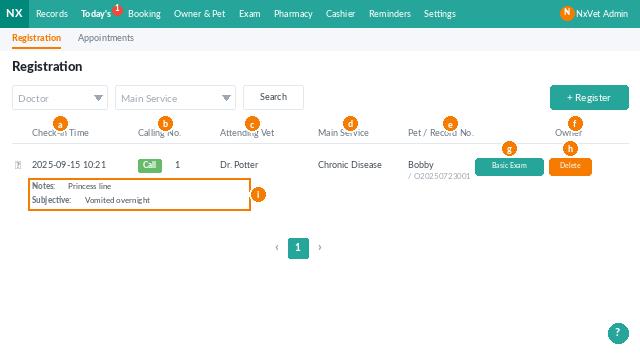
Registration row actions in NxVet showing call number, edit, and basic measurement buttons
Each registration row exposes inline actions for calling numbers, editing, and recording basic measurements.
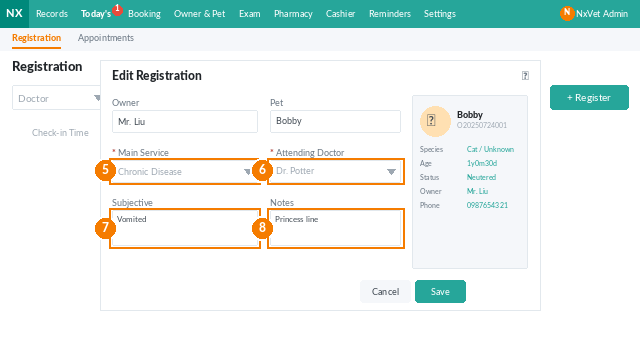
NxVet edit registration form showing main service and attending vet fields
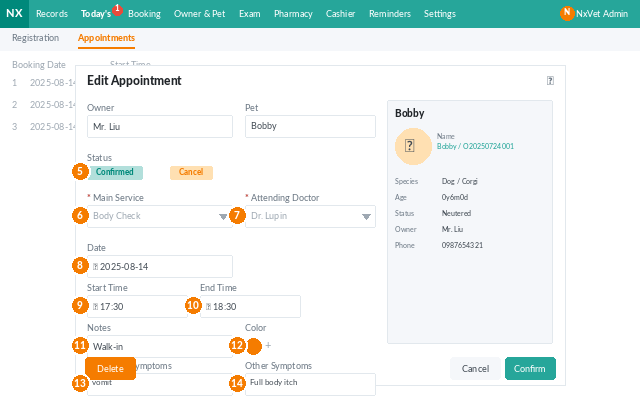
Editing or creating a registration: main service, attending vet, subjective symptoms, remarks.
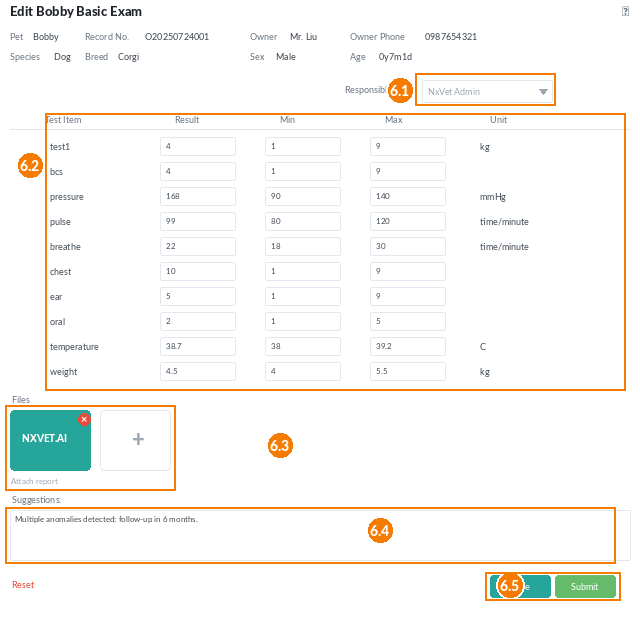
Basic measurements dialog in NxVet with numbered annotations showing each field
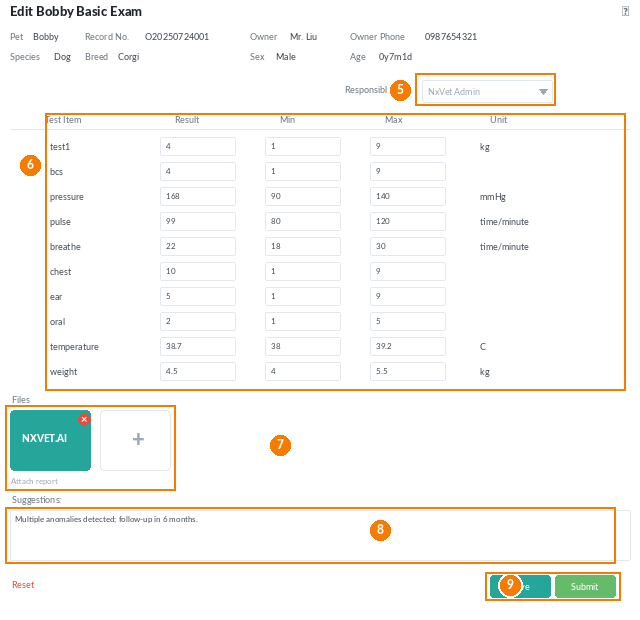
The Basic Examination dialog — vitals table, file attachments, and the Save/Submit controls.
Basic measurements detailed view with field annotations 5 through 9
Field-level walkthrough for the Basic Examination dialog: responsible personnel, vitals, files, suggestions, and Save/Submit.
Call number dialog with attending vet and consultation room selection
The Call Number dialog — pick the vet and room, then push the number to LINE@ and the TV.
Today's Appointments tab in NxVet showing scheduled visits
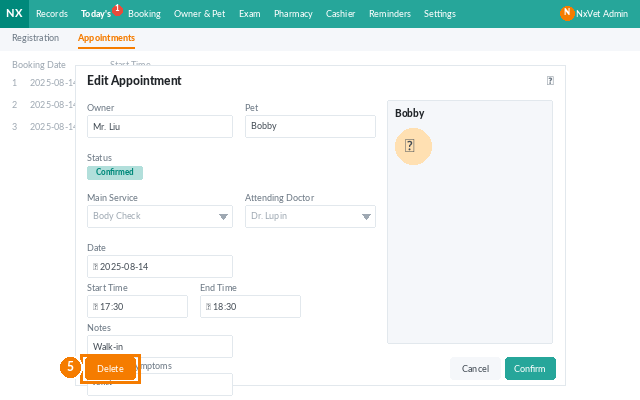
The Appointments tab lists everyone scheduled today who has not yet checked in.

Đăng ký walk-in

  1. Tại tab Đăng ký, bấm Đăng ký
  2. Tìm chủ theo số điện thoại hoặc tên, hoặc thêm chủ mới
  3. Chọn Dịch vụ chínhBác sĩ phụ trách
  4. Bấm Xác nhận hoặc Xác nhận và đo dấu hiệu sinh tồn

Mẹo

Nếu khách hủy lịch trễ, dùng Hủy lịch hẹn với ghi chú thay vì xóa, để giữ lịch sử khách và theo dõi khách hay hủy.

Cần thêm trợ giúp?

Đừng ngại hỏi — chúng tôi luôn sẵn sàng hỗ trợ!